
Modh | Tools
Meeting Tools


Project Meeting Notes Creator (w/ AI)
Use this tool to upload the agenda and transcript (ZOOM audio VTT file) to generate meeting notes following the structure of the agenda. NOTE: YOU MUST READ THE NOTES YOURSELF TO ENSURE IT REFLECTS THE MEETING. All files should be downloaded and edit / save to project folder of respective project.
Project Agenda Creator
Use this tool to create agendas using a few key words, selecting attendees, project, etc…. Download the WORD and PDF and edit / save to project folder of respective project.
Project Tools
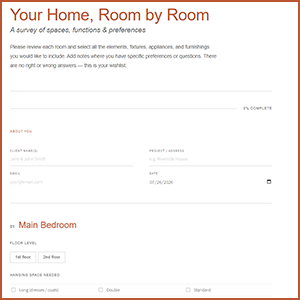
Client Questionnaire - Residential
A questionnaire that asks initial questions about the functionality of rooms in an apartment or house. Used to produce the initial draft of the LOOKBOOK for the project. dcc

Project Lighting Calculator Tool
Use this tool to load in fixture types, room sizes, and room types to figure out how many lights you need for a project. Includes the ability to factor in daylight as well.

Field Report Generator
A field report generator that enables you to photograph / upload images, tag a particular item to a plan or site plan, add locations, and field report comments. This file must be saved as a word or PDF to the local drive for project archiving.
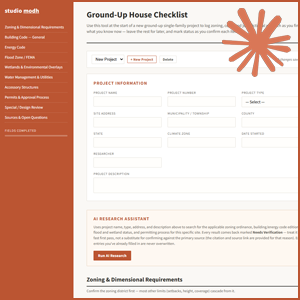
Project Code Checklist
Use this tool to do a preliminary code and zoning review of a property. It is connected to CLAUDE and will run the research based on your address and preliminary description.

UPENN WCIT Question / Comment Tool
Use this tool to add questions, items to be tracked, and comments from the client. Use the google spreadsheet (in project admin/program of project folders) to track and ensure the items are closed out
Promotion Tools
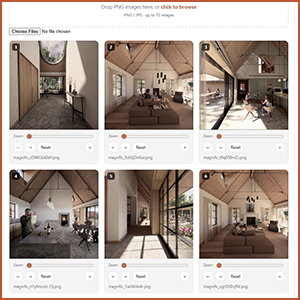
Instagram Post Tool
Upload images, re-size, write text, generate hashtags, and download for upload to the office social media channgels.
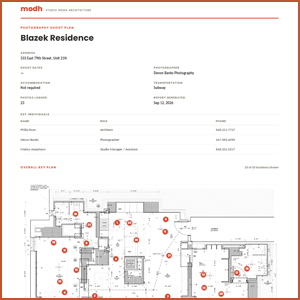
Photography Shoot Plan
An easy tool to upload a plan and set out the shots for a project documentation by a professional photographer.